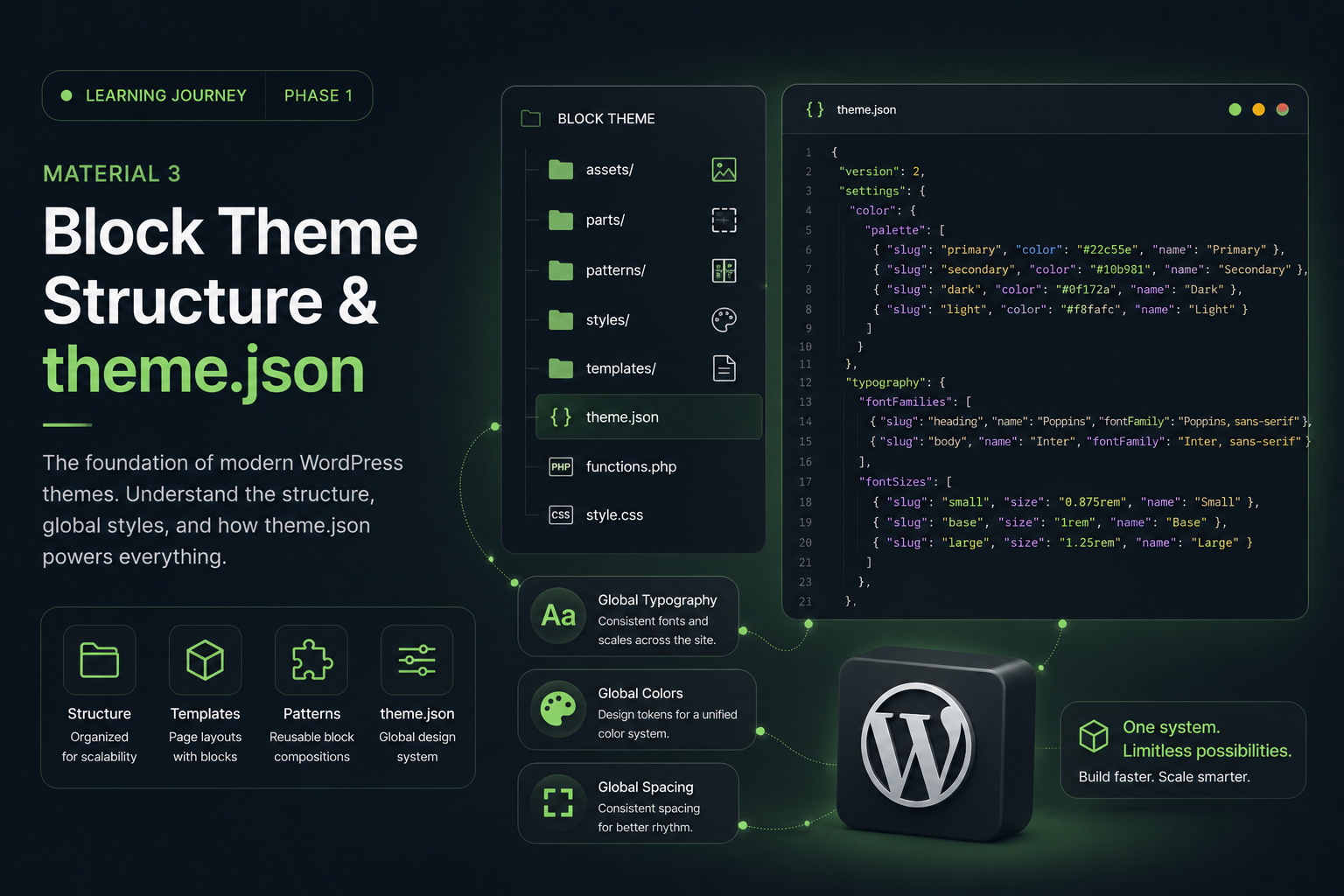
After learning:
- Gutenberg
- Block Themes
- Full Site Editing
- theme.json
I finally reached the phase I had been most curious about from the beginning:
“How do you actually build modern layouts without Elementor?”
Because honestly…
for the past few years, my entire workflow has been heavily centered around page builders 😭
If I wanted to create:
- hero sections
- card layouts
- CTA sections
- portfolio grids
- responsive layouts
I could simply:
drag → drop → style → done.
So when I started seriously exploring Block Themes, one question kept repeating in my head:
“Is Gutenberg actually powerful enough to build modern websites?”
And surprisingly…
the answer is:
yes — but the mindset is completely different.
The Biggest Difference Is the Mindset
This is the first thing I immediately noticed.
My Old Elementor Workflow
Previously, my workflow looked something like this:
Create section
→ Add columns
→ Insert widgets
→ Style everything
→ Done
Very visual.
Very fast.
Very convenient for prototyping.
My Gutenberg Workflow Now
Now the workflow feels more like this:
Build structure
→ Create hierarchy
→ Organize spacing
→ Use reusable blocks
→ Build scalable layouts
At first it felt slower.
But over time, I started realizing:
this approach creates much cleaner layouts.
Gutenberg Is Not a Traditional Page Builder
This was probably my biggest realization.
Gutenberg feels less like:
a drag-and-drop builder
and more like:
a layout architecture system.
Instead of focusing mainly on visual widgets, Gutenberg encourages developers to think about:
- structure
- hierarchy
- spacing
- composition
- reusable systems
And honestly…
this feels much closer to modern frontend development.
Group Block Becomes the Foundation
Coming from Elementor, I was used to:
- sections
- containers
- widgets
But in Gutenberg:
Group Block becomes the core foundation.
Most modern layouts rely heavily on:
- Group
- Row
- Stack
And surprisingly…
Group Block is much more powerful than I originally expected.
It can control:
- layout structure
- spacing
- width
- backgrounds
- section wrappers
Row & Stack Feel Like Modern Flex Layouts
These two blocks changed how I think about layouts.
Row Block
Used for:
- horizontal layouts
- navbars
- button groups
- inline content
It behaves similarly to:
display: flex;
flex-direction: row;
Stack Block
Used for:
- vertical layouts
- card structures
- spacing systems
Similar to:
display: flex;
flex-direction: column;
And honestly…
combining:
Group + Row + Stack
is already enough to build many modern layouts.
From Widget Thinking to Layout Thinking
This mindset shift was huge for me.
Previously, I often thought:
“Which widget should I use?”
Now I’m starting to think:
“What structure should I build?”
And surprisingly…
this feels much more scalable.
Because the focus shifts toward:
- hierarchy
- consistency
- spacing
- composition
- reusable systems
instead of:
- stacking widgets
- adding excessive effects
- constantly tweaking sections
Responsive Design Feels Different
At first, this was one of my biggest concerns.
Because with Elementor, responsive workflows often involve:
- desktop tweaks
- tablet tweaks
- mobile tweaks
manually.
But Gutenberg encourages:
natural responsiveness.
And after experimenting with it…
I actually started liking this approach.
Gutenberg Relies Heavily on Flexbox Thinking
Modern block layouts use:
- flexbox
- fluid spacing
- intrinsic responsiveness
Instead of creating endless responsive overrides, Gutenberg encourages developers to:
build layouts that are naturally responsive from the beginning.
And honestly…
this feels very modern.
Patterns Make the Workflow Faster
Initially, I thought Gutenberg would slow down my workflow.
But then I discovered:
Patterns.
And honestly…
Patterns completely changed my perspective.
Because now I can create:
- reusable hero sections
- reusable CTAs
- reusable portfolio layouts
- reusable testimonials
- reusable UI systems
Build once → reuse everywhere.
This started feeling very similar to:
- component systems
- UI libraries
- scalable frontend architecture
Spacing Suddenly Became Extremely Important
This was another interesting realization.
With Elementor, I sometimes adjusted:
- margin manually
- padding manually
- spacing section by section
But Gutenberg made me think more about:
- spacing systems
- layout rhythm
- visual consistency
- scalable spacing
And surprisingly…
layouts started feeling much cleaner.
Modern Layouts Don’t Need Excessive Animations
This was another mindset shift for me.
Previously, I often associated:
modern websites = lots of animations.
But the deeper I explore Gutenberg and Block Themes…
the more I realize:
great modern websites are usually:
- clean
- structured
- readable
- performant
- consistent
Animations still matter.
But:
spacing and structure matter even more.
The Biggest Challenge During the Transition
Honestly…
transitioning away from Elementor is not always easy 😭
Some things still feel:
- slower
- more manual
- less visual
- more technical
And sometimes I still catch myself thinking:
“Elementor would be faster for this…” 😭
But at the same time…
I’m starting to understand why many developers prefer modern native WordPress workflows.
Because the final result feels:
- cleaner
- more scalable
- easier to maintain
- more future-proof
My Biggest Realization So Far
The deeper I explore Gutenberg layouts, the more I realize:
Modern WordPress is encouraging developers to think more like:
system designers
instead of simply:
widget arrangers.
And honestly…
I think that shift is incredibly interesting.
Final Thoughts
At this phase, I realized that building layouts without Elementor is not simply about:
changing tools.
It’s about:
changing the way you think about layouts.
From:
- widget thinking
to:
- layout systems
- reusable structures
- scalable architecture
And honestly…
the deeper I explore Gutenberg, the more I feel it has huge potential for the future of modern WordPress workflows 👀
Next Learning Phase
In the next phase, I’ll start learning:
Creating Reusable Patterns & Modern UI Systems
Because apparently…
Patterns might be one of the most powerful features inside the Gutenberg ecosystem 🔥