After spending time learning Gutenberg and block-based workflows, I finally reached a point where modern WordPress started feeling completely different from traditional WordPress.
That point was:
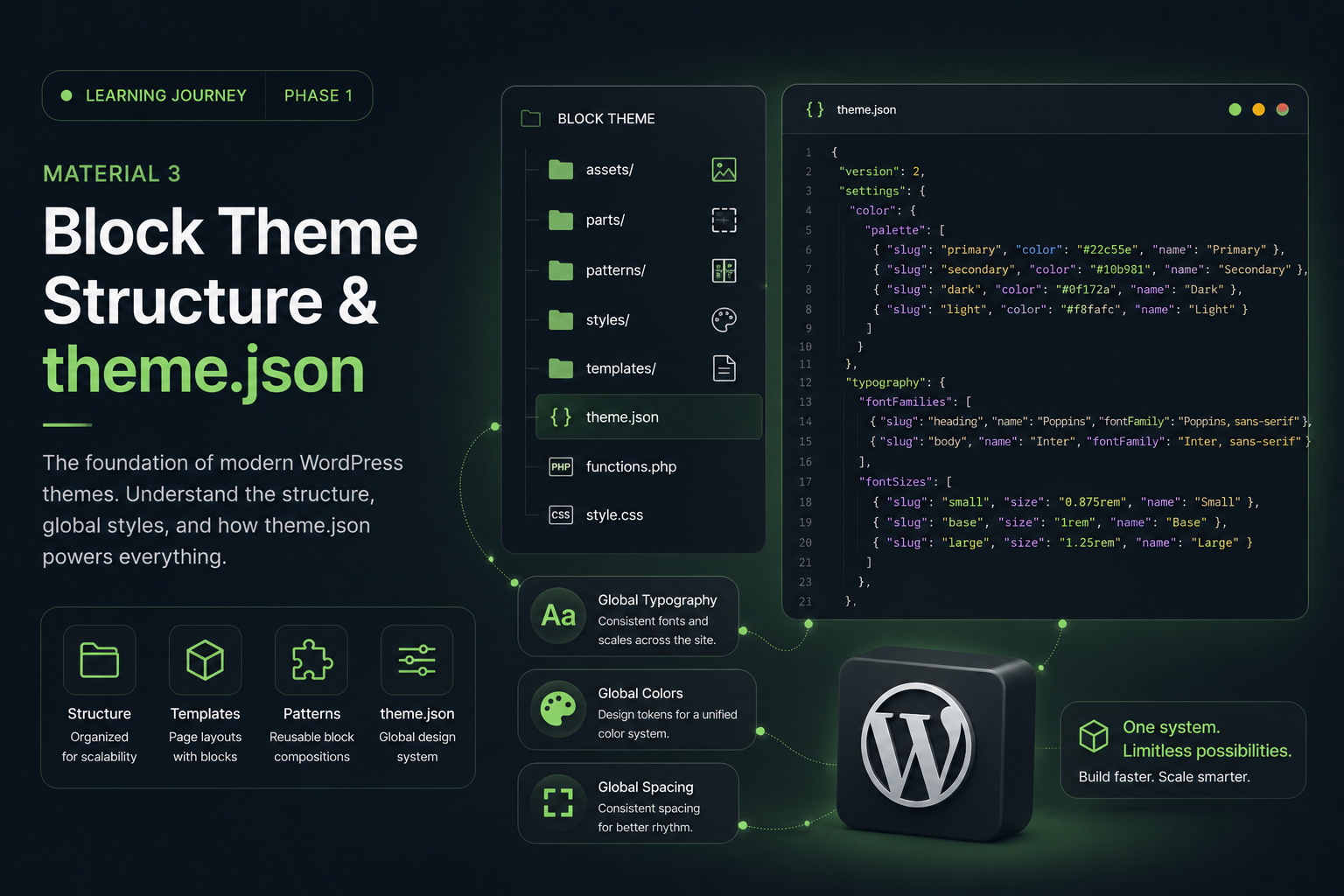
Block Theme Structure & theme.json
And honestly…
The first time I explored a modern Block Theme structure, my reaction was something like:
“Wait… is this still WordPress or a frontend framework now?” 😵💫
Because suddenly I started seeing concepts that felt very similar to:
- design systems
- component architecture
- centralized styling
- reusable layouts
- scalable UI systems
And the deeper I explore it, the more I realize:
Modern WordPress is evolving into a much more system-oriented platform.
Why theme.json Matters
If Gutenberg is the “heart” of modern WordPress…
Then:
theme.json is the styling engine behind it.
Previously, WordPress themes relied heavily on:
- style.css
- PHP configurations
- customizer settings
- scattered custom CSS
Now, much of that configuration is centralized inside:
theme.json
And honestly, this completely changes how themes are built.
What Is theme.json?
theme.json is a global configuration file for Block Themes.
It controls:
- typography
- colors
- spacing
- layout settings
- editor configuration
- global styles
- block behavior
from one centralized system.
Instead of styling things individually across multiple files, modern WordPress introduces something much closer to:
a design system architecture.
And I think this is one of the most powerful concepts in modern WordPress.
Understanding Block Theme Structure
A modern Block Theme structure usually looks something like this:
theme/
├── assets/
├── parts/
├── patterns/
├── styles/
├── templates/
├── theme.json
├── functions.php
└── style.css
At first glance it looks simple.
But each folder plays a very important role.
templates/
This folder contains:
main page structures.
Examples:
- home.html
- single.html
- archive.html
- page.html
- index.html
In classic WordPress themes, these were typically:
- PHP template files
- server-rendered layouts
Now, many layouts are built using:
HTML Block Templates.
And honestly, this was one of the biggest mindset shifts for me.
Because WordPress layouts are now becoming:
editable block structures.
parts/
This folder stores reusable template parts such as:
- headers
- footers
- sidebars
And this is a huge change compared to traditional WordPress.
Headers are no longer just static PHP files.
They become:
editable layout components.
patterns/
Patterns are reusable collections of blocks.
Examples:
- Hero Sections
- CTA Sections
- Portfolio Layouts
- Pricing Sections
- Testimonials
This started feeling very similar to:
- UI libraries
- design systems
- reusable frontend components
And honestly, this is where Gutenberg began feeling “modern” to me.
styles/
This folder can contain:
- style variations
- color themes
- dark/light mode presets
Which means themes can support multiple visual styles without changing the main structure.
And I think this feature is seriously underrated.
Understanding theme.json Structure
At first, theme.json looked intimidating 😭
Something like:
{
  "version": 2,
  "settings": {},
  "styles": {}
}
But after learning it slowly, the structure actually started making sense.
settings
This section controls:
design system settings.
Examples:
- color palettes
- typography scales
- spacing systems
- layout widths
- gradients
- shadows
This feels very similar to:
- Tailwind config
- design tokens
- frontend UI systems
styles
This section handles:
global styling.
Examples:
- typography
- buttons
- headings
- spacing
- body styles
And honestly, I love this concept.
Because styling becomes:
- centralized
- scalable
- maintainable
- consistent
Why theme.json Feels Powerful
Because it encourages developers to think about:
systems instead of isolated styling.
For example:
- consistent typography
- reusable spacing systems
- unified colors
- scalable layouts
Everything becomes more structured.
And that’s something I’m starting to appreciate more and more.
The Biggest Mindset Shift
Previously, my workflow focused heavily on:
- building pages quickly
- styling sections individually
- tweaking layouts manually
Now I’m slowly learning to think more like:
a system designer.
Thinking about:
- reusable tokens
- layout consistency
- scalable spacing systems
- maintainable architecture
And honestly…
this completely changes how I see WordPress development.
My Biggest Realization So Far
The deeper I explore Block Themes and theme.json…
the more I realize that modern WordPress development is no longer just about:
- building websites
It’s also about:
- building systems
- creating reusable architecture
- maintaining consistency
- designing scalable workflows
And surprisingly…
that makes WordPress feel much more modern than I originally expected.
Final Thoughts
At first, theme.json felt overwhelming.
But the more I explore it, the more I understand why WordPress is moving in this direction.
Because modern websites need:
- scalability
- consistency
- maintainability
- reusable systems
- cleaner architecture
And honestly…
learning Block Themes feels less like learning “WordPress customization”…
and more like learning modern frontend architecture inside WordPress itself.
In the next phase, I’ll start exploring:
Building Layouts Without Elementor
Because now the real challenge becomes:
“How do you build modern layouts without relying on a traditional page builder?” 👀🔥